Syntax Highlighting
Read your code in colors
The PHP Editor colorizes your code according to Visual Studio settings, giving you a better overview in the colors you are used to. The colors respect Visual Studio conventions with support for dark, light and 3rd party themes.
Code Validation
Get your code checked as you type
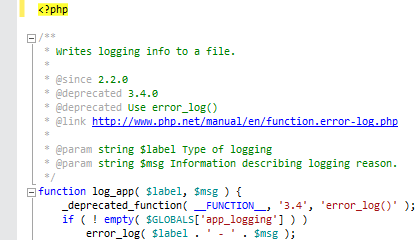
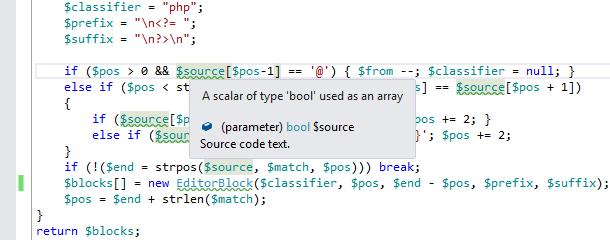
Detect type mismatches, typos, missing function parameters, unknown classes and functions as you type. Code analysis periodically checks your code for various issues and underlines them immediately. This avoids having to handle most of the issues in run-time.
IntelliSense
Use smart code assistance
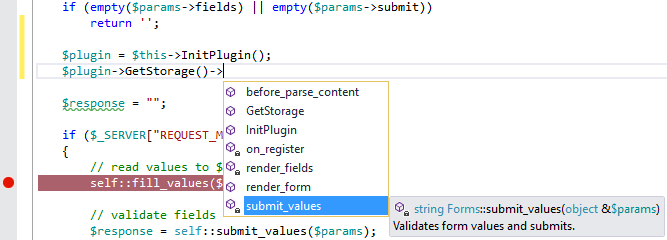
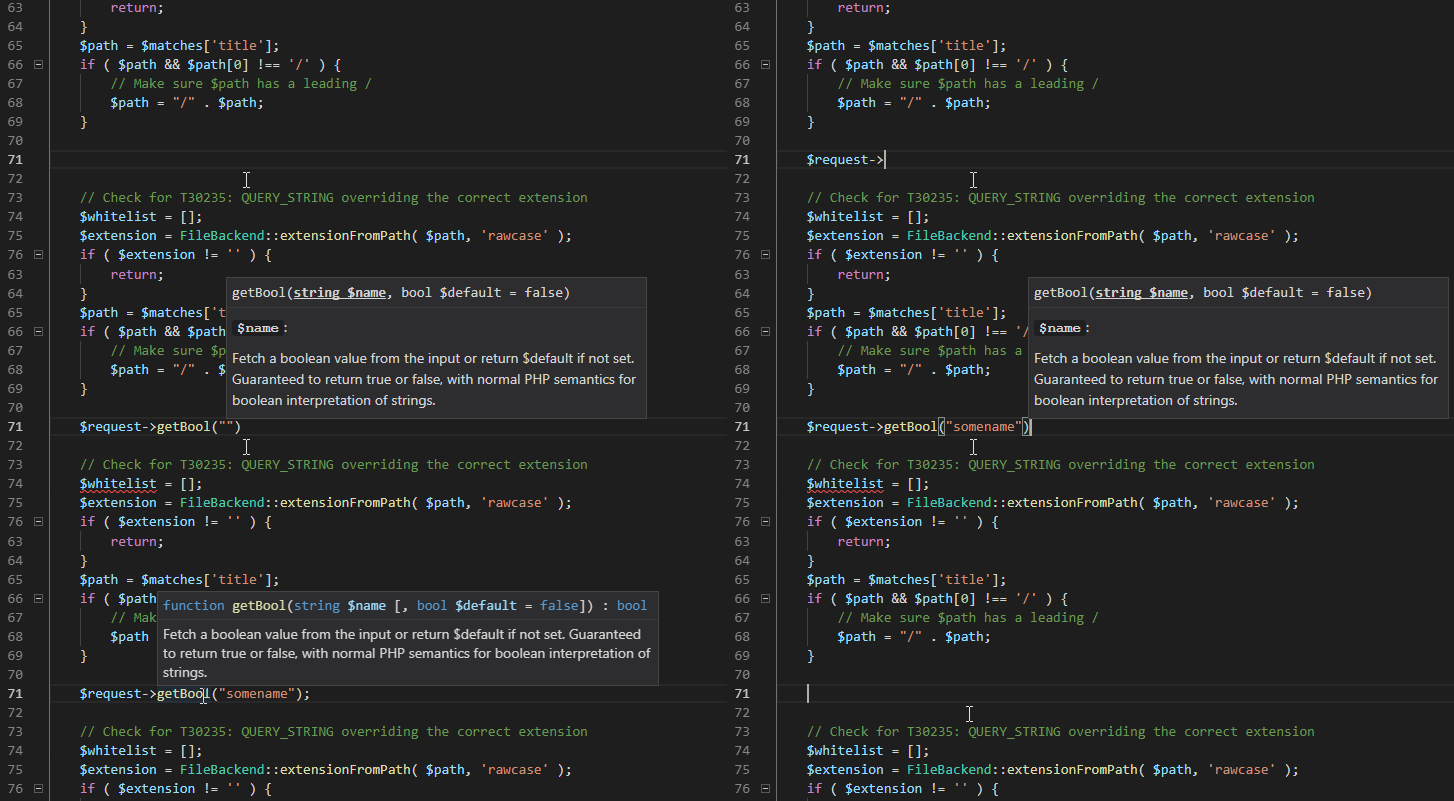
The IntelliSense feature provides you with smart, context-aware code completions, detailed tool tips and function parameter assistance. The feature contains a complete PHP manual, learns from your code and performs type analysis. Its purpose is to minimize the amount of key presses you have to do.
Starred Suggestions
Local AI ranking for smartest completions
Benefit from intelligent local AI ranking that highlights the most relevant completion items. Starred Suggestions analyze your codebase, context, and supported notations to surface and prioritize the best suggestions right at the top of your completion list.

IntelliPHP
AI assisted development
Elevate your PHP coding productivity to new heights with IntelliPHP. This cutting-edge feature provides comprehensive whole-line suggestions tailored to your code context, empowering you to write code faster and more efficiently. The best part? IntelliPHP operates locally, ensuring the privacy and security of your code. Say goodbye to time-consuming manual typing and embrace the convenience and confidence of IntelliPHP's locally executed AI whole-line completion.
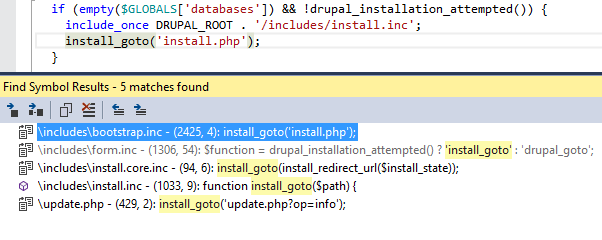
Navigation Features
Jump to any definition from anywhere
Navigate to definitions and references using 'Go to definition', find all references, class view, navigation bar and more. Quickly jump through your code using the well-known Visual Studio shortcuts you are used to.
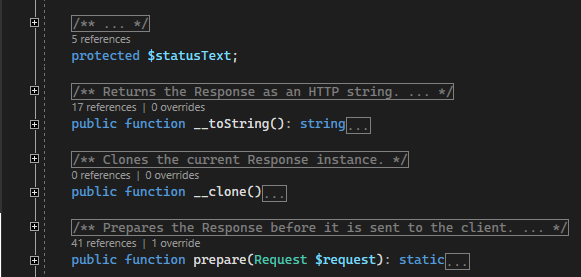
Code Lens
Quick navigational adornment always here
Code Lenses are displayed above every declaration header with quick information with the number of references, overrides, prototypes, or trait uses. Click and jump directly to references.
Refactoring
Rename identifiers seamlessly
Avoid typos and keep code clean using our refactoring features. You can rename all kinds of identifiers as you type or you can use the rename dialog. Refactoring can rename identifiers in place or with a detailed preview where you can uncheck single occurrences.

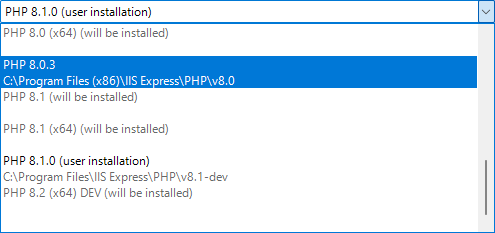
PHP Manager
Install, Update, No Hustle
Just select PHP language version for your project and let PHP Tools to install and maintain the PHP binaries, composer, and other dependencies. This means working debugging, IIS Web Server, or fixed frequent configuration issues, without hustle. Explore More...
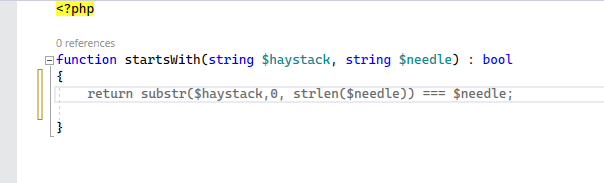
Code Formatting
Keep code nice and easy to follow
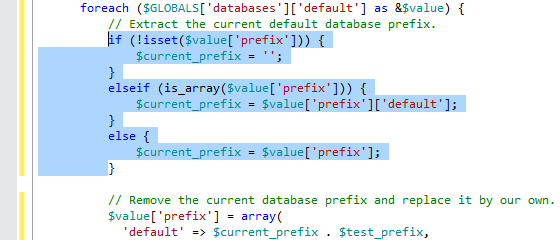
Automatically format your code when you type. Code formatting works great for the whole document, a selection of code, after you complete a statement or a block of code. The feature respects Visual Studio conventions, normalizes spaces, works great with mixed HTML, PHP and more.
Code Actions
Fix and Refactor code with a click
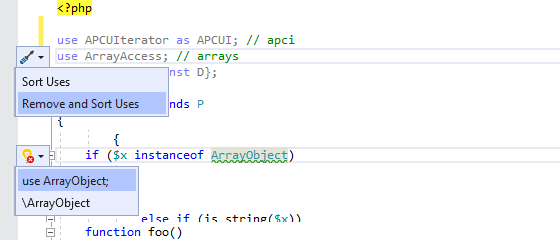
Take advantage of code refactorings and code fixes, and use smart suggestions right in the editor. This helps with keeping the code clean, suggests namespace completions, renaming symbols, implementing interfaces, fixes common typos, and other actions. Explore More...
Regex Editor
Write and Test your PCRE with ease
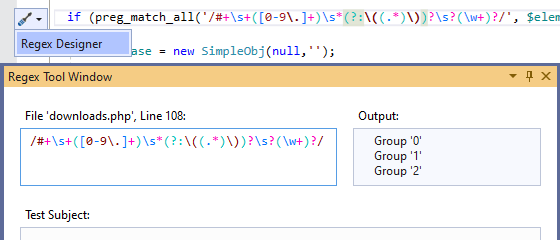
Edit regular expressions in a nice colorized view, or open them in the Regex Tool Window. Any syntactic or semantic error gets underlined with additional informations. Test your regular expressions before you run the code, and use the Regex Tool Window to inspect defined capture groups. Explore More...
PHPDoc Support
Easily document your code
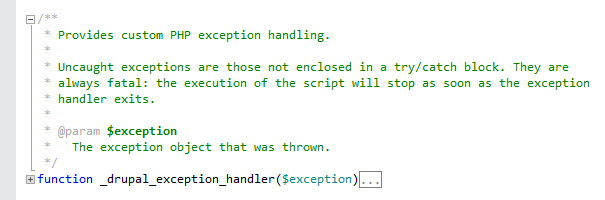
Documenting your objects and functions helps you while coding. It also improves code analysis by hinting parameter and return types. The PHP Editor colorizes PHPDoc blocks, generates them automatically and integrates its content into IntelliSense.
Visual Debugger
Debug your code as you are used to
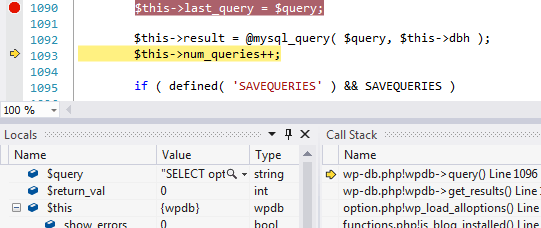
Inspect and edit variables, step through the code, pause on breakpoints, check the call stack and more, just as you are used to in Visual Studio. Xdebug integration works great with all kinds of web servers, allowing you to debug your program quickly and intuitively.
Exception Assistant
Be notified about run-time issues in your code
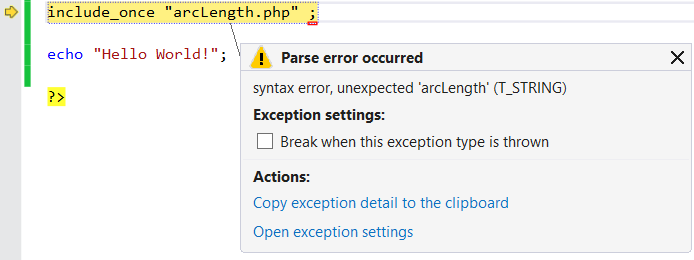
Break on selected errors, warnings, notices and exceptions, and thus, check the state of the program that is causing them. Building an error-safe code is an essential objective for any programmer. Don't miss a single issue with the exception assistant.
Debug Inlines
Contextual values at your hand
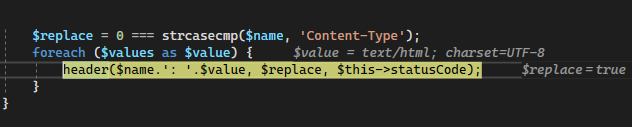
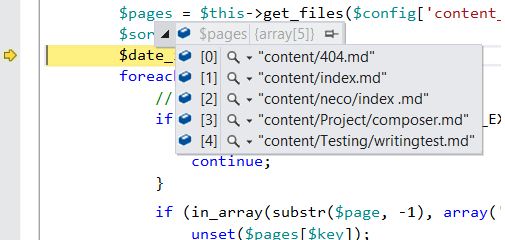
Watch important values or expressions during debugging. Debug Inlines keep you informed about expressions of the current code context, function parameters, loop iteration variables, properties, and appropriate array entries.
Remote Debugging
Debug code running on a remote server
Deploy your project and solve issues on your remote server directly from Visual Studio. It can be a Windows server, Linux or Mac. Moreover, remote files are mapped to your local project, so remote debugging is just as fast as local debugging.
Immediate Window
Iterate faster
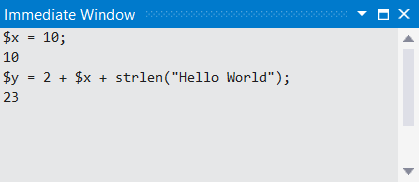
Enter the PHP code and see the results immediately in the Immediate Window during debugging. You can adjust the run of your program, introduce new variables or modify existing ones.
Error List
Review all project errors at one place
Quickly check all your syntax and fatal errors found in your project, before you actually run and debug the code. Error List helps you to keep the code clean, without unexpected run-time glitches.

Unit Testing
Test your code automatically
Write PHPUnit tests, manage test cases, organize them in categories and keep an overview of passed and failed scenarios. PHPUnit is seamlessly integrated into the Visual Studio Text Explorer, allowing you to author, run and debug your test cases.

Profiler
Analyze Your Code's Performance.
Identify performance bottlenecks in your PHP applications with just a click. Measure the execution time and number of calls for each function. Our built-in support will give you deep insights into how your code is performing and optimize it for better efficiency. Explore More...

Project System
Manage and customize your project
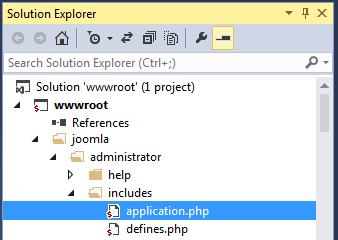
Take advantage of the Visual Studio Solution Explorer and the MSBuild industry standard. This allows for various customizations, custom projects and item templates, running or debugging more projects at once and more.
HTML Editor
Design and code all together
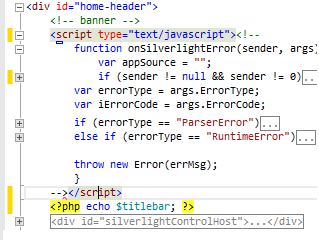
Write all the web languages within PHP files as you are used to. Mix HTML, CSS, JavaScript and PHP with complete built-in support from Visual Studio. The editor even allows all your favorite 3rd party plugins like Web Essentials.
Smarty Templating
Intense experience with Smarty Editor
Templating with our Smarty editor makes it easy if you are a beginner or an advanced Smarty user. Syntax highlighting and syntax error checking is a must have. Be sure to explore great IntelliSense features and coding snippets to edit templates quickly and comfortly.

Twig Templating
Best-in-Class Twig Editor
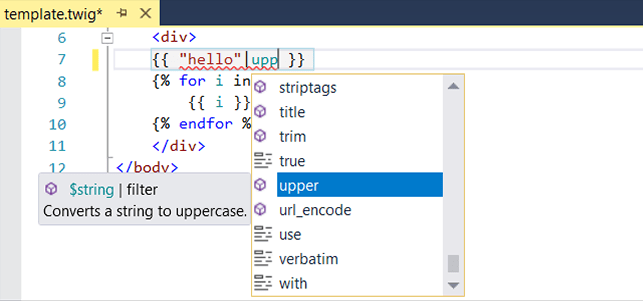
PHP Tools for Visual Studio offers you complete support for Twig templates, including syntax highlighting, error checking, code completion and outlining. Take advantage of our unique split view to understand and fine-tune your twig templates. Explore More...
Blade Templating
Get help with your laravel page
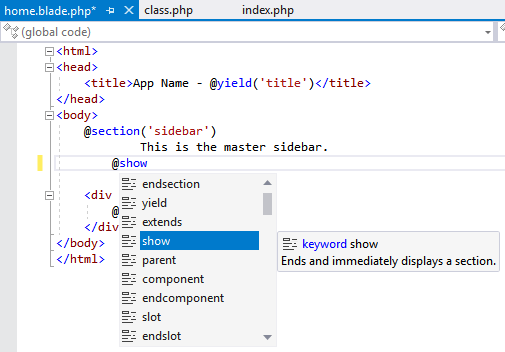
Blade editor colorizes your entire code and provides all the smart features you need for HTML, CSS, JS, Blade and embedded PHP within the blade files. Syntax errors and issues are underlined right in the editor, while IntelliSense suggests and helps. All running on top of Visual Studio's powerful editor engine. Explore More...
Code Snippets
Build code faster
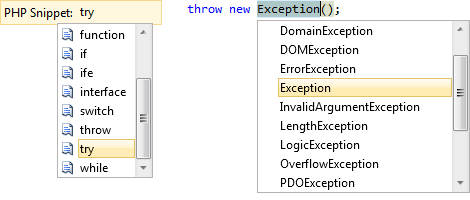
By taking advantage of code snippets, insert common code fragments with just a few key hits. Avoid common typos, generate functions, documentary comments, loops and other constructs as it should be.
Composer Integration
Composer everywhere, just like it should be
Quickly search and install packages from a rich user interface. Update them and install missing packages with just one click. The Composer is also integrated within MSBuild as well as in the Solution Explorer, and its complete output appears in the Output Window.

Deployment
Publish your project to a remote server with one click
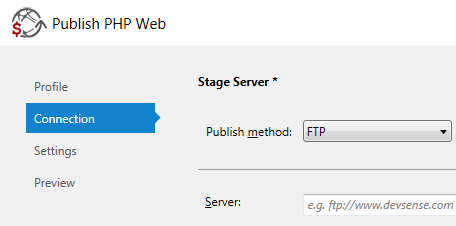
Incremental publish automatizes the deploying of your project files to a remote server. You can deploy a whole project or just a single file. It does not matter whether it is FTP, SFTP, FTPS, File System or Azure. We have covered them all.
Source Control
Push, Pull, Sync and Merge your code and work items.
A seamless integration with Visual Studio source control providers like Git and TFS gives your team all the tools they need. Command-line is not required, you can do all the source control tasks right in Visual Studio using the well-known user interface.

Remote Explorer
Upload, Download, Browse, Compare.
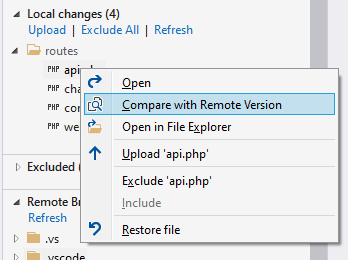
Link your project with remote locations and quickly sync your changes using FTP/FTPS/SFTP, browse the remote, compare your changes with the server, and more. Explore More...
Code Help and Completion
Use smart code assistance.
Take advantage of type-based code completion, signature help and colorful tooltips within VS Code. The editor is context aware, lists available symbols with detailed information, performs type analysis and completes selected options. It also provides a link to online documentation to get related information faster.
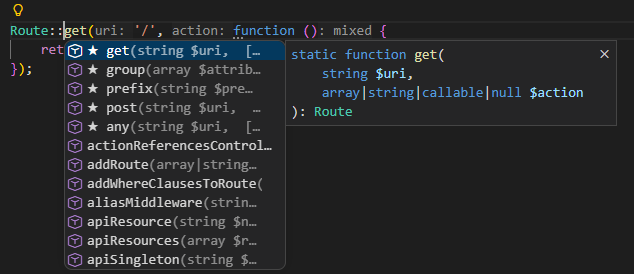
Starred Suggestions
Local AI ranking for smartest completions
Benefit from intelligent local AI ranking that highlights the most relevant completion items. Starred Suggestions analyze your codebase, context, and supported notations to surface and prioritize the best suggestions right at the top of your completion list.
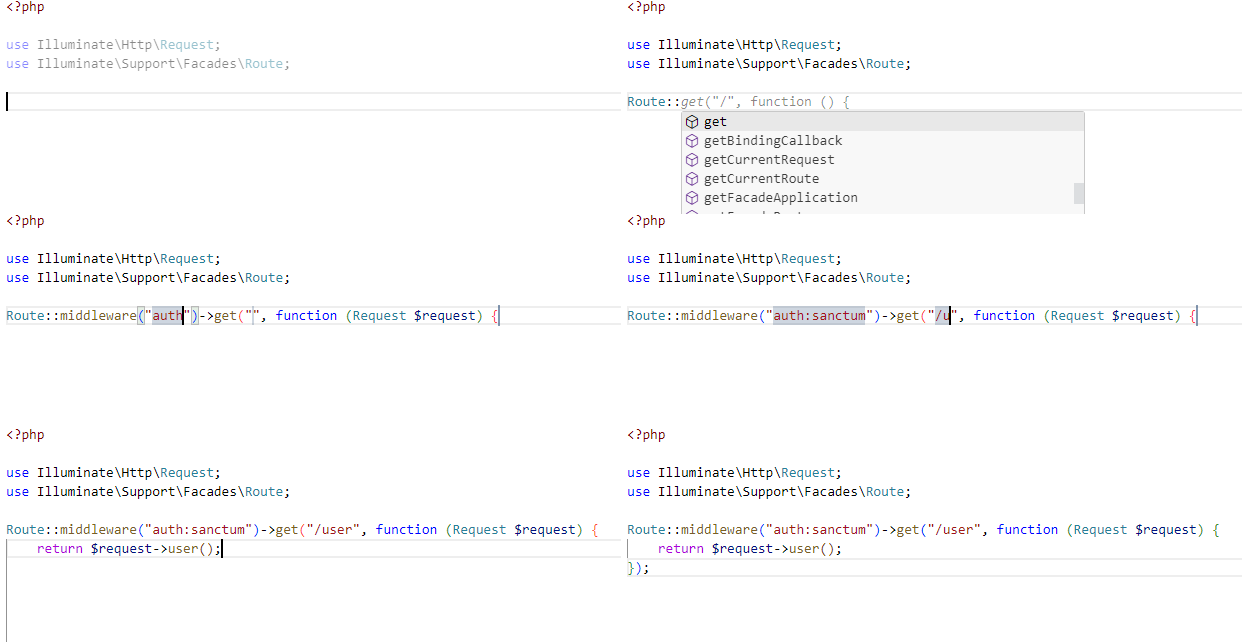
IntelliPHP
Local AI inline completions
Elevate your PHP coding productivity to new heights with IntelliPHP. This cutting-edge feature provides comprehensive whole-line suggestions tailored to your code context, empowering you to write code faster and more efficiently. The best part? IntelliPHP operates locally, ensuring the privacy and security of your code. Say goodbye to time-consuming manual typing and embrace the convenience and confidence of IntelliPHP's locally executed AI whole-line completion.
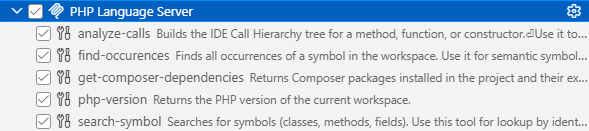
MCP Server
Help your AI Agent to perform better
The PHP extension provides an integrated MCP server that helps AI agents provide faster, better, and more cost-effective responses. See more at MCP Server documentation.
Continuous Code Validation
Get your code checked as you type.
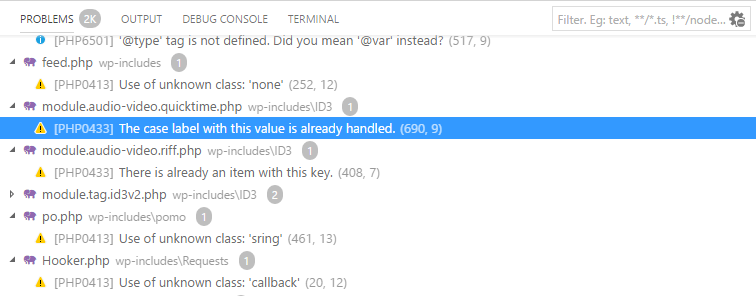
Reveal troublesome issues and problems without testing, and even before running the code. The built-in type analysis and code validation will check the entire project in seconds, and it gets updated as you type. Problems are listed in the `Problems` window and underlined right in the code editor.
Debugger
Step through the code and inspect.
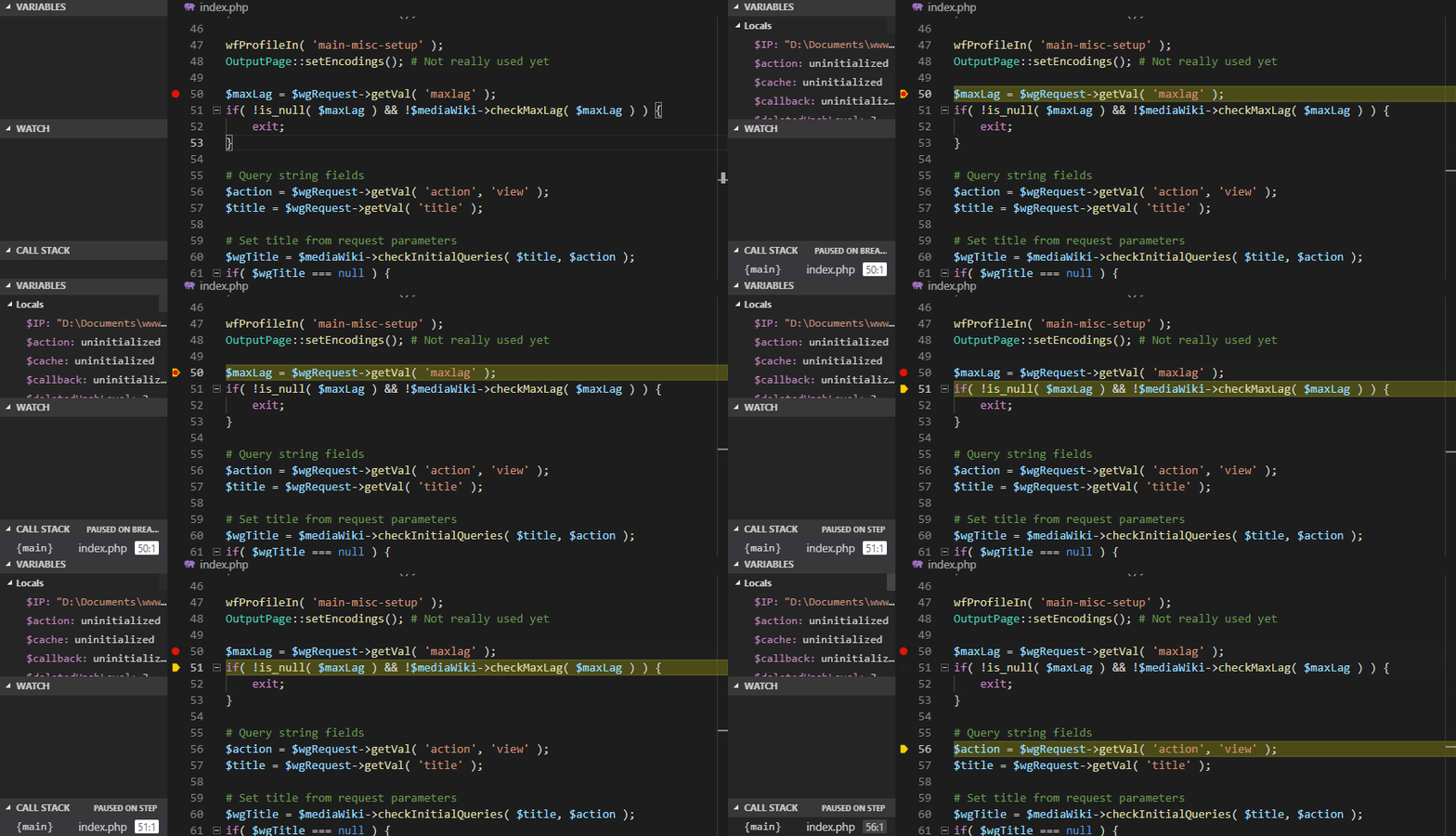
Run the integrated server or connect to a remote server. The debugger makes use of the Xdebug extension and utilizes all the debugging features within the nice VSCode UI. See and manage breakpoints, watch expressions, locals or the call stack. Tooltips reveal the expression's value as well. When evaluating an expression during debug, we check it first to see if it is safe to run.
Debug Inlines
Contextual values at your hand.
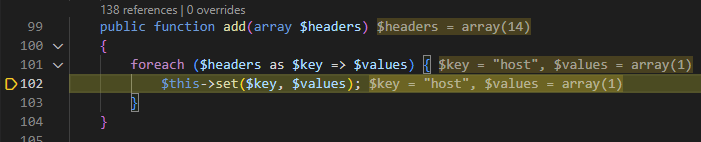
Watch important values or expressions during debugging. Debug Inlines keep you informed about expressions of the current code context, function parameters, loop iteration variables, properties, and appropriate array entries.
Laravel IDE
Accelerate your Laravel development.
Unlock intelligent autocompletion and seamless navigation tailored to Laravel. Effortlessly work with Eloquent queries, Laravel and Livewire components, and Blade templates. Customize your experience with 'ide.json' files, keeping your workflow fast, precise, and intuitive. Laravel IDE brings the power of Laravel right to your fingertips. Learn more

Navigation Features
Your code at your hand.
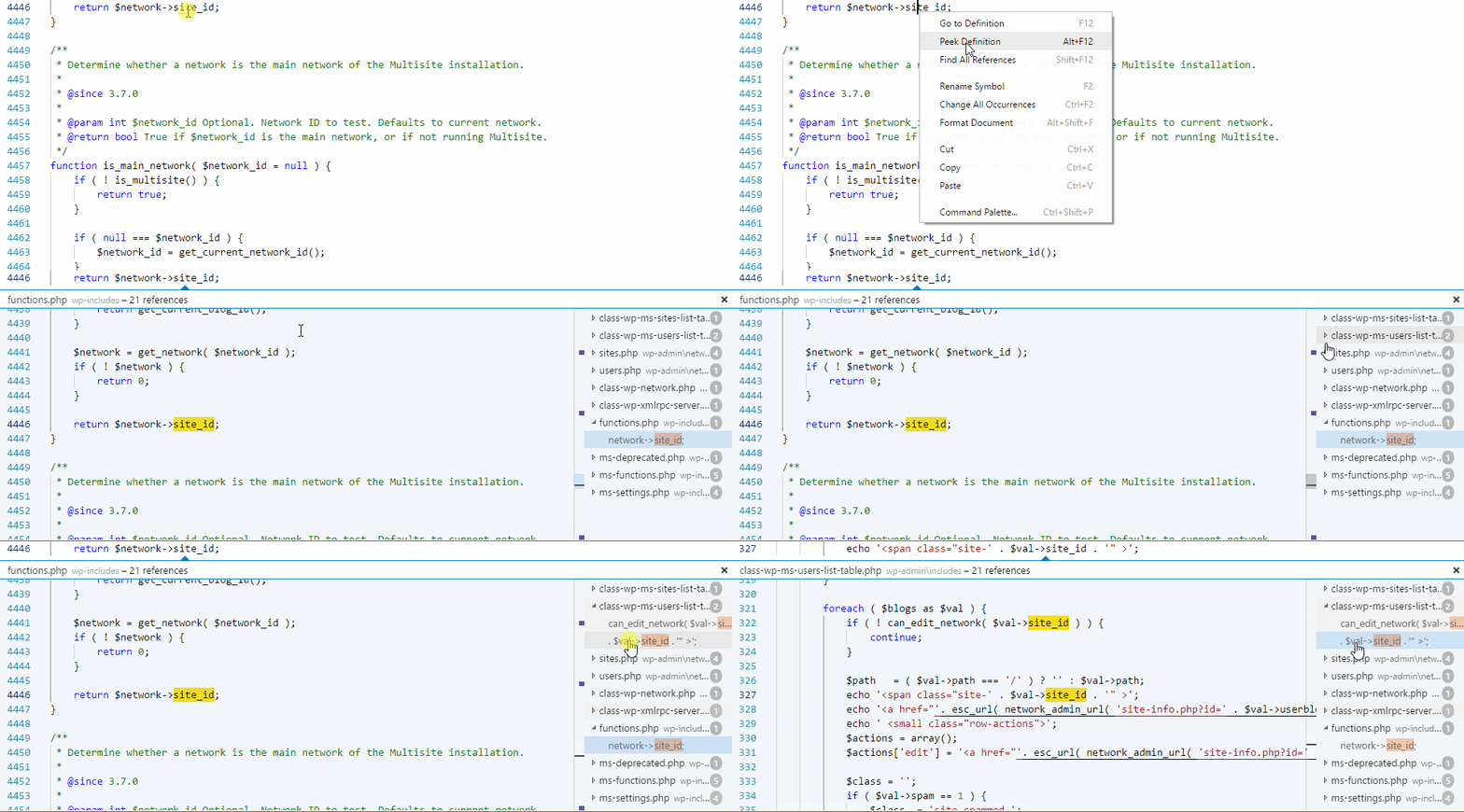
The editor provides you with `Go to definition`, `Find all references` and browsing through all the symbols within the current document and the workspace. It takes advantage of the type analysis and context aware search, quickly navigating even through extremely large projects.
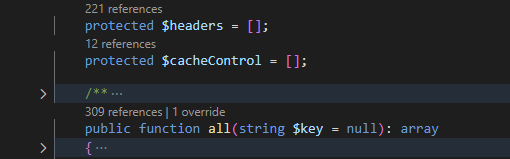
Code Lens
Quick navigational adornment always here.
Code Lenses are displayed above every declaration header with quick information with the number of references, overrides, prototypes, or trait uses. Click and jump directly to references.
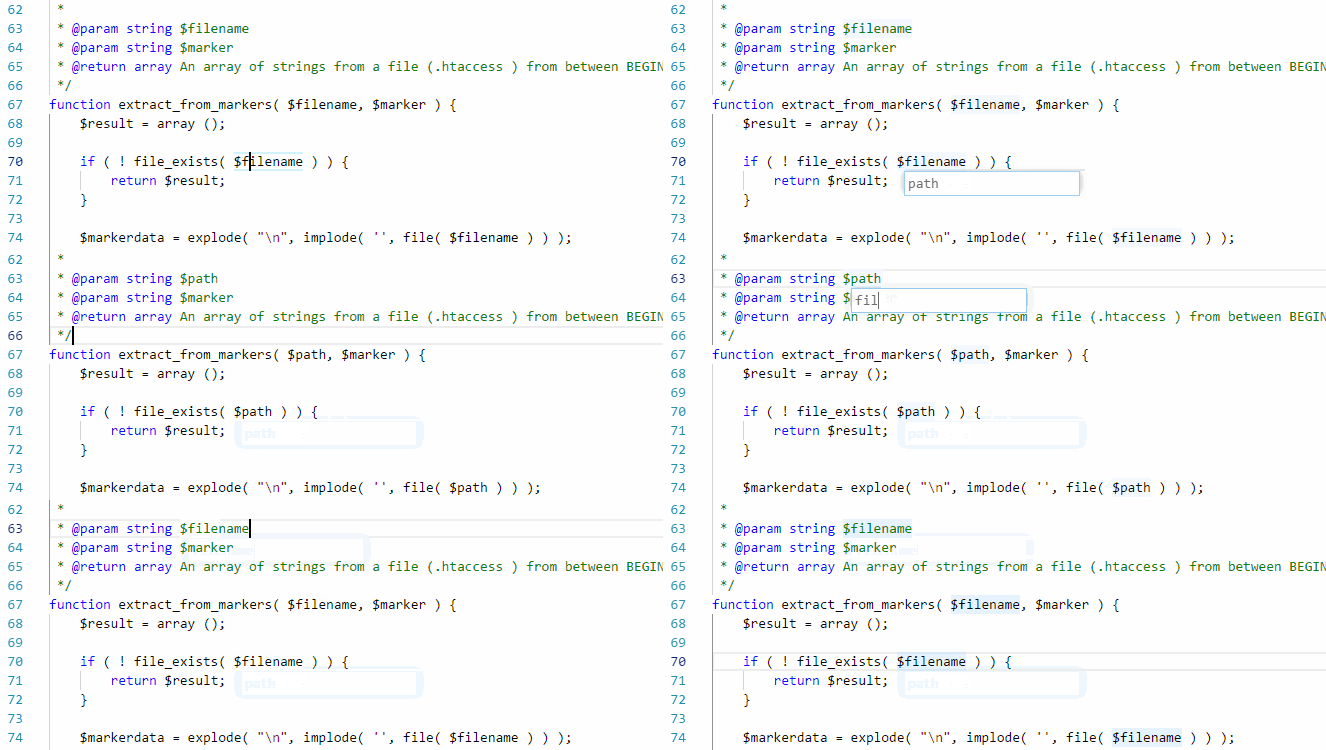
Rename Refactoring
Safely refactor your code.
Safely find and rename variables, classes, interfaces or functions with a single press of a key. The feature takes into account PHPDoc comments, possible indirect variables or dynamic code constructs.
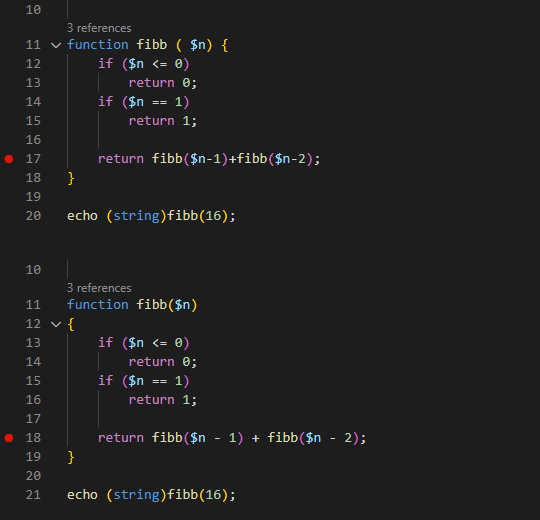
Code Formatting
Maintain your code nice and easy to follow.
The highly customizable code formatter helps you write clean code and maintain the preferred code style like PSR-12, PSR-2, Allman and K&R. With many formatting options. you can adapt its behavior as you want.
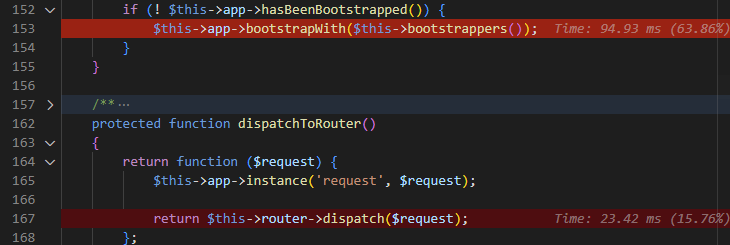
PHP Profiler
Inspect code performance, and call graph.
Profile your PHP application, and display the profiling results right in Visual Studio Code. The profiler just works - and lets you to browse through the called fuctions, call graph, or highlight hot paths right in your source code.
PHPUnit Test View
Debug, run, inspect tests, visually.
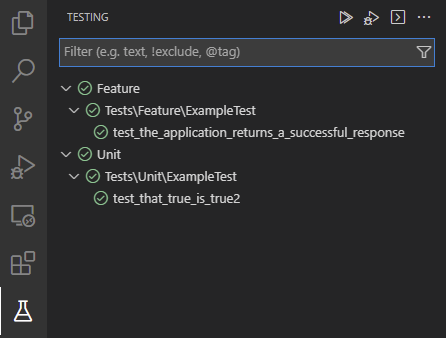
PHPUnit tests within the workspace are managed and listed automatically in new the Test View. You can run and debug all the tests, just one, or a test group. All the listed tests are marked with the succeeded icon with details of the test run. All the results are managed in the single view.
PHPUnit Inline Results
Inspect test results and compare values.
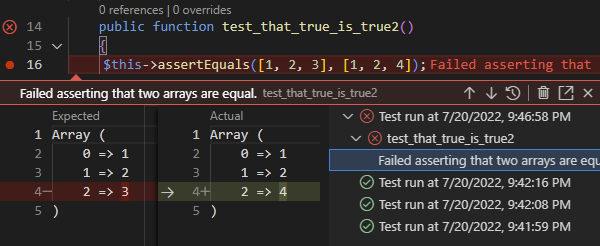
Upon a test failure, all the test run history is tracked. Moreover failures are highlighted right in the code together with the expected and actual value comparison.
Composer Integration
Install, Remove, Manage package.
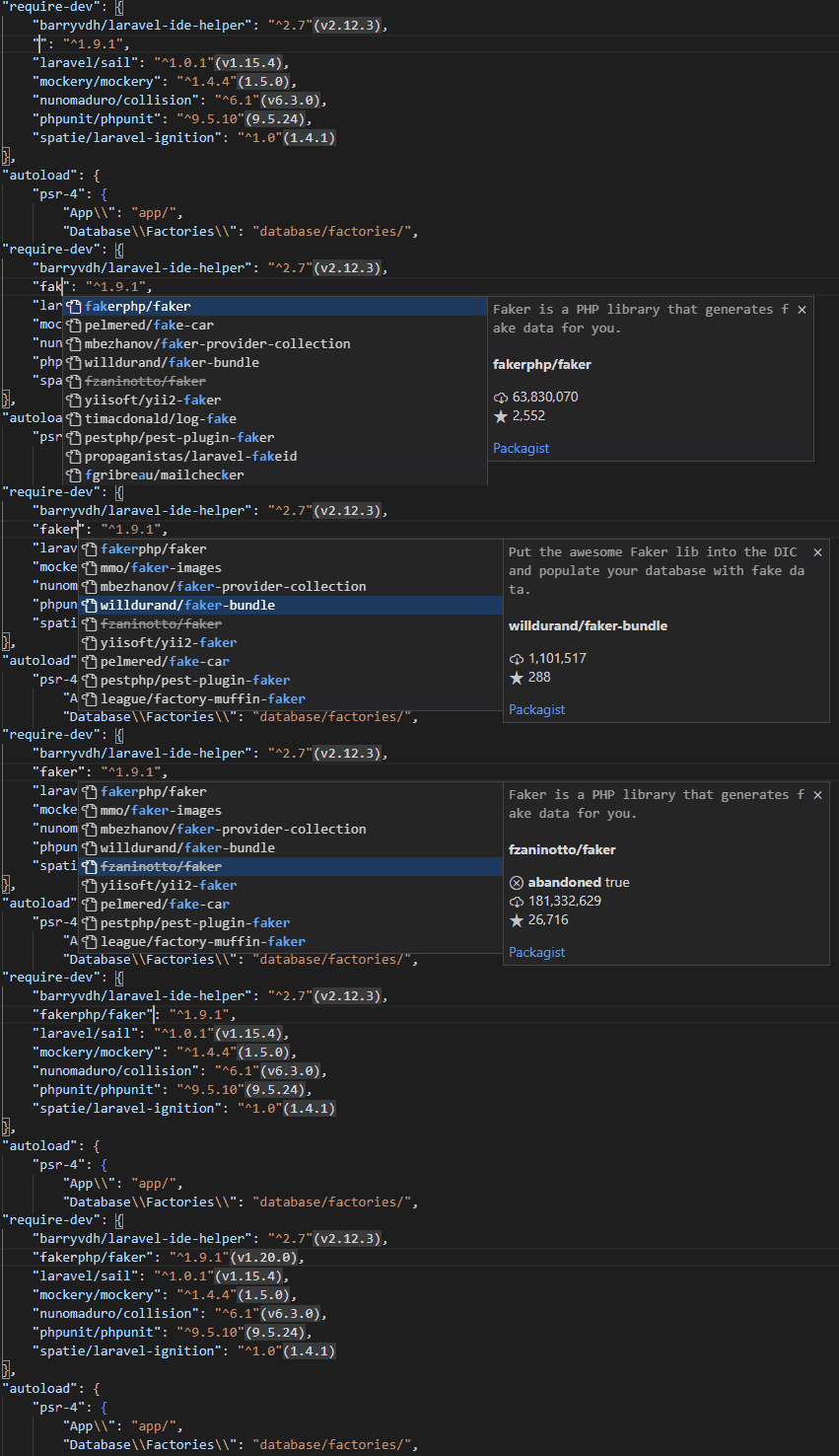
Composer packages can be maintained through various commands, and code completion of names and versions. Also you're getting detailed tool-tips, code lenses for running composer scripts, and diagnostics watching for deprecated packages.
Remote Development
Work remotely with all the features
Developing remotely has never been so good before. You get a full-featured development environment just as you would if the source code was local. It doesn't matter if the remote machine is a container, WSL, virtual machine, or remote server accessible through SSH. You are getting full IntelliSense, refactoring, debugging, testing, and access to the remote terminal regardless of where your tools (or code) are located.